A full-color LED screen achieves text and image display through the coordinated work of hardware structure and software control. Its core principles involve pixel control, signal transmission, and content rendering. The following is the specific implementation process:
I. Hardware Structure Basics
LED Module Array
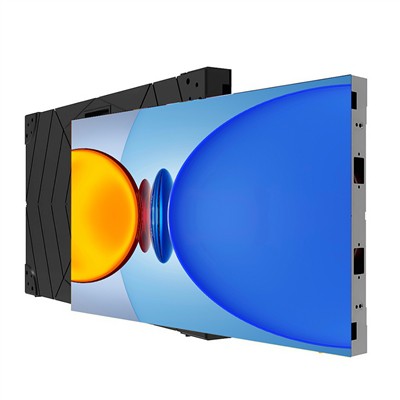
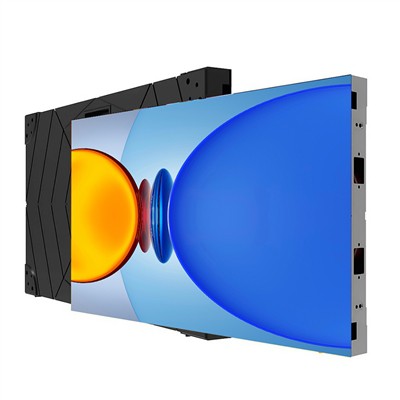
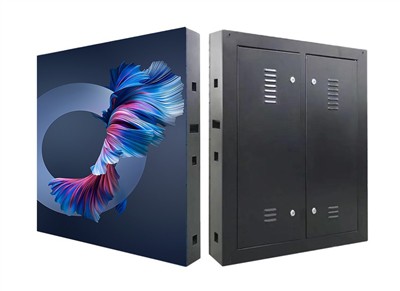
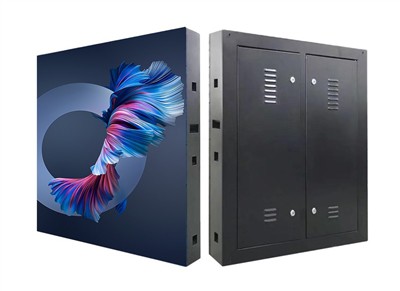
A full-color LED screen is composed of multiple LED modules. Each module contains red, green, and blue (RGB) LED beads, and full-color display is achieved by independently controlling the brightness of these three colors.
The back of the module integrates a power interface and a control card interface. The power supply powers the LED beads, and the control card is responsible for receiving and parsing the display signals.
Control Card and Receiver Card
Sending Card (installed in the computer): Converts the text/image signals edited on the computer into digital signals that the LED screen can recognize.
Receiver Card (installed in the screen): Receives signals from the sending card and drives the LED beads in the corresponding area to display content.
The driver is integrated into the receiver card and is responsible for converting the digital signals into current signals, precisely controlling the RGB brightness of each pixel.
II. Graphic Display Process
Content Editing and Preparation
Graphic and video content is edited on a computer using dedicated software (such as LEDStudio or NovaLCT). This supports adjusting resolution, color mode (e.g., RGB 24-bit), and refresh rate.
Key Parameters:
Resolution: Must match the physical pixel count of the LED screen (e.g., 1920×1080).
Color Depth: 24-bit true color can display 16.77 million colors.
Refresh Rate: Typically ≥3840Hz to avoid screen flicker.
Signal Transmission and Resolution
The computer sends the edited content to the sending card via network cable or fiber optic cable. The sending card compresses the signal and transmits it to the receiving card.
The receiving card distributes the signal to the corresponding modules according to the screen's physical layout (e.g., number of rows, columns). Each module independently controls the pixels within its range.
Pixel Driving and Display
The receiving card uses PWM (Pulse Width Modulation) technology to control the current intensity of each LED, thereby adjusting the brightness ratio of the RGB colors.
For example, when displaying yellow, the red and green LEDs are fully lit, while the blue LED is off (RGB value 255, 255, 0).
The entire screen's pixels refresh synchronously, creating a continuous display of text, images, or video.
III. Operational Points and Precautions
Computer Configuration Requirements
CPU: Intel i5 or higher recommended to ensure smooth real-time rendering.
Graphics Card: Dedicated graphics card (such as NVIDIA GTX 1050Ti) supporting high-resolution output.
Memory: ≥8GB to avoid lag during multitasking.
Network Card: Gigabit network card to ensure stable signal transmission.
Debugging and Calibration
Brightness Uniformity: Adjust the brightness of each module using software to avoid areas that are too bright or too dark.
Color Consistency: Calibrate the screen's color using a colorimeter to ensure consistent color across different areas.
Refresh Rate Test: Take a picture of the screen with a mobile phone camera; no water ripples indicate a satisfactory refresh rate.
Common Problem Troubleshooting
Screen Distortion: Check the network cable connection or replace the receiver card.
Color cast: Recalibrate color parameters or replace the faulty LED.
Signal loss: Confirm that your computer's firewall is not blocking the software port, or restart the transmitting card.
IV. Learning and Optimization Suggestions
Initial Operation: Quickly get started using the software's built-in tutorials, focusing on mastering resolution matching and signal transmission settings. Advanced Techniques: Learn layered editing (e.g., separating background and text layers) and dynamic effects creation (e.g., gradients, scrolling). Maintenance Cycle: It is recommended to clean the surface dust of the LEDs every 3 months and check the power supply and control card's heat dissipation every 6 months. The graphic display of a full-color LED screen is the result of deep collaboration between hardware and software. Understanding its signal flow and parameter settings allows for efficient content delivery and troubleshooting.