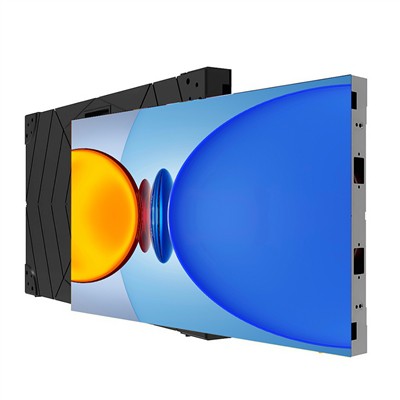
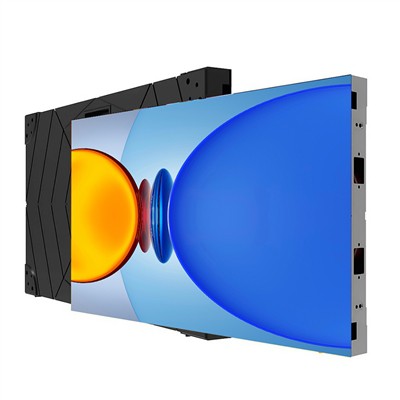
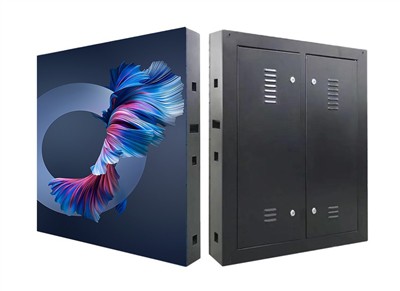
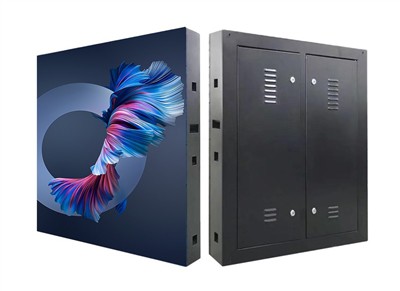
The installation and maintenance of an LED display screen requires a focus on environmental selection, standardized assembly, regular maintenance, and proper use. Specific precautions are as follows:
I. Installation Precautions
Environmental Selection
Dry and Ventilated: The LED display screen should be installed in a dry, well-ventilated environment to avoid short circuits or component corrosion caused by dampness.
Temperature Control: Keep away from high-temperature heat sources (such as radiators or areas under direct sunlight). High temperatures will accelerate the aging of LED chips and shorten their lifespan.
Dust and Contamination Prevention: Avoid dusty environments. Dust accumulation may affect heat dissipation and cause display abnormalities.
Structural Stability: Ensure that the mounting bracket or frame is sufficiently sturdy to prevent the screen from tipping or shaking due to external forces (such as wind or impacts).
Assembly Standards
Follow the Instruction Manual: Strictly follow the assembly steps in the product instruction manual to ensure that modules, power supplies, control cards, and other components are correctly connected.
Wire Inspection: Pay special attention to checking the power cord and signal cable connections for secureness to avoid short circuits or signal loss caused by poor contact.
Module Alignment: During assembly, ensure modules are flat and aligned to prevent gaps or misalignment at joints, which could affect display quality.
Grounding Protection: Ensure proper power grounding to prevent static electricity or leakage from damaging the equipment.
II. Maintenance and Care Points
Daily Cleaning
Tool Selection: Wipe the screen with a soft, dry cloth or slightly damp sponge. Avoid using cleaning agents containing alcohol, ammonia, or corrosive chemicals.
Operating Method: Wipe gently; avoid pressing or scratching to prevent damage to LED beads or surface coating.
Frequency Recommendation: Clean regularly according to the usage environment. Clean weekly in dusty environments and monthly in normal environments.
Regular Inspection
Line Inspection: Check power cords and signal cables monthly for aging or damage, and replace problematic lines promptly.
Component Replacement: Damaged LED beads, driver ICs, or power modules must be replaced by a professional.
Cooling System: Clean dust from the cooling fan or heatsink to ensure efficient heat dissipation and prevent overheating that could degrade performance.
Software Maintenance
System Updates: Regularly upgrade the control software, fix vulnerabilities, and optimize display effects.
Parameter Calibration: Adjust parameters such as brightness and contrast according to usage to avoid accelerated aging due to prolonged high-load operation.
III. Usage Precautions
Avoid Prolonged Operation
Intermittent Use: Do not use continuously for more than 12 hours. It is recommended to turn off the device for 1-2 hours daily to reduce the rate of LED attenuation.
Automatic Sleep Function: Set the screen to automatically turn off during non-use periods to save energy and extend lifespan.
Prevent Physical Damage
Avoid Impacts: Avoid impacts from sharp or heavy objects to prevent LEDs from falling off or internal circuitry from breaking.
Prevent Compression and Deformation: Use a dedicated packaging box during transportation or storage to prevent screen deformation due to pressure.
Environmental Adaptability Adjustment
Humidity Control: Use dehumidifiers during humid seasons to maintain ambient humidity below 65% to prevent condensation from causing short circuits.
Lightning Protection: Install lightning protection devices when installing outdoors to prevent damage from lightning strikes.
IV. Special Scenarios Maintenance
Outdoor Display Screens
Waterproofing: Regularly check the waterproof gaskets for aging and ensure the interfaces are sealed to prevent rainwater infiltration.
Salt Spray Corrosion Protection: In coastal areas, an anti-corrosion coating should be added to reduce the corrosive effect of salt spray on metal components.
Stage Rental Screens
Transportation Protection: Use dedicated flight cases for transportation to avoid severe vibrations that could loosen the modules.
Quick Repair: Equip with spare modules and tools for quick on-site replacement of faulty components.
Summary: The lifespan and performance of LED displays are highly dependent on the quality of installation and maintenance. By selecting suitable environments, standardizing assembly, performing regular maintenance, and using the system scientifically, the failure rate can be significantly reduced and the service life extended. Users are advised to establish maintenance records to document each inspection and replacement, ensuring long-term stable operation.