What are the standard resolutions for LED large screens?
As a new type of display device, the resolution standard of LED large screens is an important reference for users when purchasing them. This article aims to introduce several common LED large screen resolution standards and provide methods for choosing a suitable resolution.
I. Overview of LED Large Screen Resolution Standards
1. P2.5 Resolution
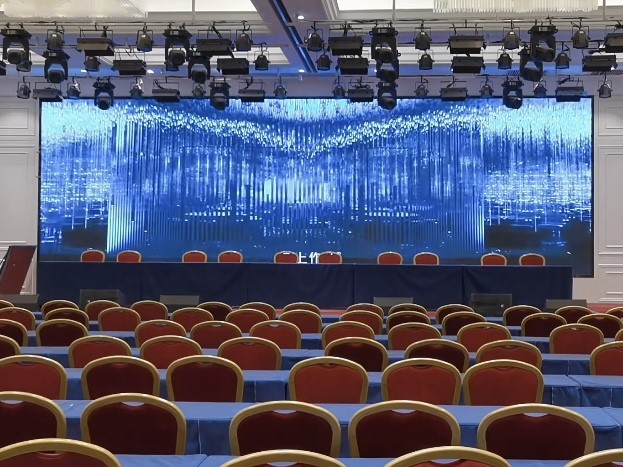
P2.5 resolution means a pixel pitch of 2.5 mm, with a screen resolution of up to 160,000 dots/square meter. Suitable for indoor environments such as conference rooms and exhibition halls.
2. P3 Resolution
P3 resolution refers to a pixel pitch of 3 mm, with a resolution of approximately 111,111 dots/square meter. Suitable for indoor use, such as shopping malls and hotels.
3. P4 Resolution
P4 resolution has a pixel pitch of 4 mm, with a screen resolution of approximately 62,500 dots/square meter. Suitable for indoor occasions such as stages and studios.
4. P5 Resolution
P5 resolution has a pixel pitch of 5 mm, with a resolution of approximately 40,000 dots/square meter. Suitable for indoor venues such as cinemas and stadiums.
5. P6 Resolution
P6 resolution has a pixel pitch of 6 mm, resulting in a screen resolution of approximately 27,777 dots per square meter. Suitable for indoor locations such as shopping malls and train stations.
6. P8 Resolution
P8 resolution has a pixel pitch of 8 mm, resulting in a resolution of approximately 15,625 dots per square meter. Suitable for outdoor use, such as plazas and stadiums.
7. P10 Resolution
P10 resolution has a pixel pitch of 10 mm, resulting in a screen resolution of approximately 10,000 dots per square meter. Suitable for outdoor locations such as billboards and roadsides.
II. How to Choose the Appropriate LED Screen Resolution
1. Choose Based on the Usage Environment
Different environments require different resolutions for LED screens. For example, indoor conference rooms or exhibition halls may choose P2.5 or P3 resolution, while outdoor plazas or stadiums may be more suitable for P8 or P10 resolution.
2. Choose Based on Viewing Distance
The farther the viewing distance, the larger the acceptable pixel pitch, and therefore the lower the resolution can be. Generally, a viewing distance of 5 meters is suitable for P2.5 or P3 resolution, 10 meters for P4 or P5 resolution, and 20 meters for P8 or P10 resolution.
3. Select Based on Content
If the displayed content requires high definition, such as high-definition video and images, a high resolution, such as P2.5 or P3, should be selected. Simple text and icon content can use a lower resolution, such as P8 or P10.
III. LED Screen Operation Steps
1. Installation
Install the LED screen on a suitable bracket and ensure that the power cord and signal cable are securely and firmly connected.
2. Configuration
After connecting the power, configure the LED screen, including setting the resolution, brightness, contrast, etc., and setting the signal input, such as HDMI, VGA, etc.
3. Control
The LED screen is usually operated through a controller, which can be connected to the screen via network cable or wirelessly. The controller can be used for screen partitioning, content switching, brightness adjustment, etc.
Summary: The choice of resolution for the LED screen is crucial. Choosing the appropriate resolution based on the usage environment, viewing distance, and content requirements will ensure the best display effect for the LED screen. At the same time, pay attention to the installation, configuration, and control aspects when operating the LED screen to ensure equipment performance and safety.