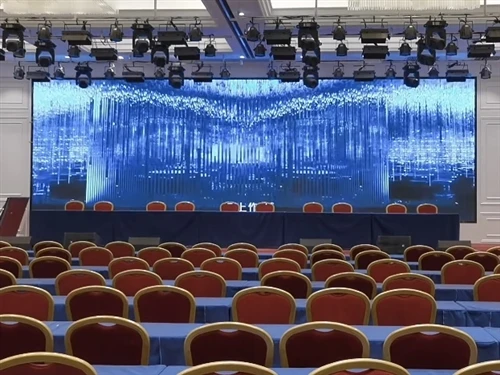
The ten maintenance methods for full-color LED large screens are as follows:
1. Control Ambient Humidity: Maintain the humidity of the environment in which the LED display screen is used, and avoid any items containing moisture entering the screen. If a screen containing moisture is powered on, it may cause corrosion of internal components, resulting in permanent damage.
2. Take Protective and Gentle Cleaning Measures: Take passive and active protection measures to keep items that may damage the screen away from the display. When cleaning the screen, wipe it gently, avoiding the use of rough materials or excessive force to reduce the risk of physical damage.
3. Regularly Clean the Screen Surface: Prolonged exposure to outdoor environments can cause dust and stains to accumulate on the screen, affecting the viewing experience. Regularly clean the surface dust with a dry, soft-bristled brush or vacuum cleaner. If necessary, alcohol can be used for wiping, but avoid using a damp cloth directly.
4. Ensure Stable Power Supply and Grounding Protection: The power supply must be stable and properly grounded to avoid voltage fluctuations or leakage risks. In severe weather conditions such as strong lightning strikes, the screen should be stopped to prevent damage from lightning strikes. 5. Prevent foreign objects from entering the screen. Water, iron powder, and other conductive metal objects must not enter the screen. The screen should be placed in a low-dust environment. If water accidentally gets into the screen, immediately disconnect the power and contact a professional for handling. The screen can only be used again after it is completely dry.
6. Follow the correct power-on/off sequence.
Power-on sequence: First, start the control computer. After it is running normally, turn on the LED display screen.
Power-off sequence: First, turn off the LED display screen, then turn off the computer. This operation can avoid damage to the equipment caused by current surges.
7. Avoid displaying fully bright images for extended periods. Avoid displaying fully white, fully red, or other fully bright images for extended periods to prevent excessive current from overheating the power cord or damaging the LEDs. Also, do not disassemble or assemble the screen at will to avoid damaging the internal structure.
8. Schedule reasonable screen rest periods.
It is recommended that the screen rest for at least 2 hours daily to avoid continuous long-term operation.
During the rainy season, use the screen at least once a week. In normal months, turn it on at least once a month and keep it lit for at least 2 hours to prevent moisture damage.
9. When cleaning the screen surface using specialized cleaning tools and materials, prioritize alcohol, a brush, or a vacuum cleaner. Avoid wiping directly with a damp cloth. Alcohol effectively removes stains and evaporates quickly, reducing the risk of moisture residue.
10. Regular Inspection and Professional Maintenance
Regularly inspect the screen to ensure it is functioning properly and to check for aging or damage to the wiring. If any malfunctions are found, replace the affected parts or repair the wiring promptly.
Internal wiring maintenance must be performed by qualified personnel. Non-professionals must not touch the wiring to prevent electric shock or secondary damage.
By following these methods, the lifespan of the full-color LED screen can be significantly extended, the failure rate reduced, and its long-term stable operation ensured.