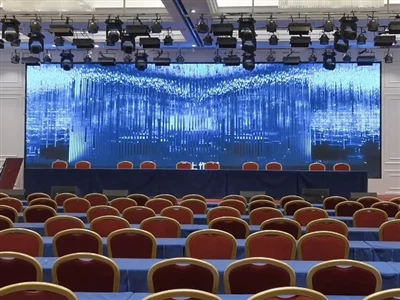
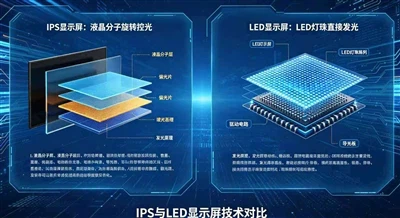
Large-scale mobile retractable LED screens are devices that integrate mechanical structures and display technology. Their key feature is that the screen modules can move horizontally along a track, enabling them to expand for display or retract for storage. This type of equipment is commonly used in stage performances, conference centers, exhibition halls, and other venues requiring flexible visual space transformations. To fully utilize its technical capabilities, a systematic understanding of installation and commissioning, operation and control, content creation, and maintenance is required.
I. Equipment Installation and Structural Understanding
Before putting the equipment into use, a clear understanding of its physical structure and installation requirements is necessary. Mobile retractable LED screens typically consist of multiple independent cabinet modules, a drive system, a track structure, and a control system. The cabinets are connected by mechanical locks and signal cables, and each cabinet has wheels at the bottom, allowing it to move smoothly on the preset track.
The following points should be noted during installation:
1. Site Assessment: Confirm the flatness and load-bearing capacity of the installation area. The horizontal error of the track installation surface must be within the equipment's allowable range. Also, check the on-site power supply conditions to ensure stable voltage and sufficient power.
2. Track Laying: Install the guide rail system precisely according to the design drawings, using professional instruments to check the straightness and levelness of the track. The track joints must maintain a smooth transition, avoiding steps or gaps.
3. Screen Assembly: Place the cabinets sequentially in the initial position on the track, connecting adjacent cabinets using quick-lock mechanisms. During the connection process, ensure that all data cables and power cables are securely plugged in and that the cable routing is neat and orderly.
4. System Commissioning: After completing the mechanical installation, perform power-on testing. Check the display status of each individual cabinet, the synchronization performance between cabinets, and the smooth operation of the moving mechanism. During commissioning, special attention should be paid to the image continuity of the screen during movement.
II. Motion Control and Operation Procedures
The core characteristic of mobile retractable LED screens lies in their dynamic transformation capabilities, making it crucial to master the correct operating procedures. The control system usually includes two subsystems: screen motion control and video signal processing.
The standard operating procedure is as follows:
1. Startup Preparation: Turn on the main power switch, and then sequentially start the control system, video processor, and screen drive device. Observe the system self-check status and confirm that the indicator lights of each module are normal.
2. Mode Selection: Select the appropriate working mode according to the usage requirements. Common modes include: fully expanded mode (all modules expand to form a complete screen), partially expanded mode (some modules move to form a specific shape), and closed mode (all modules retract to their storage positions).
3. Motion Control: Set the screen motion parameters through the control interface, including movement speed, target position, and motion sequence. It is recommended to use low-speed mode during initial operation, and gradually increase to normal operating speed after observing that the screen is running without abnormalities.
4. Real-time Monitoring: During screen movement, operators should continuously monitor parameters such as the drive motor current and track smoothness. If increased resistance or abnormal noises are detected, immediately pause the operation and perform an inspection.
5. Positioning Calibration: After the screen reaches the predetermined position, use positioning sensors for position calibration. Fine-tune the spacing between modules to ensure the flatness of the display surface, and use software compensation through the control system if necessary.