Explore five creative projects for your raspberry pi led display board. From dashboards to retro gaming, discover what you can build.
What Can You Build with a Raspberry Pi LED Display Board?
A raspberry pi led display board is a versatile platform limited mainly by your imagination. The combination of the Pi's processing power and the LED panels' visual impact opens up a wide range of projects-from practical information displays to creative art installations.
Here are five project ideas to get you started, ranging from beginner-friendly to more advanced. Each project uses the same core hardware but applies it in different ways.
Project 1: Information Dashboard
What It Does
An information dashboard displays real-time data such as weather, news headlines, social media feeds, or stock prices. The display updates automatically at set intervals, pulling data from APIs (Application Programming Interfaces-services that provide data in a machine-readable format) over the internet.
How to Build It
Set up the rpi-rgb-led-matrix library
Write a Python script that fetches data from APIs
Format the data for display (text scrolling, static display, etc.)
Run the script continuously, updating at regular intervals
Skills Required
Basic Python programming
Understanding of JSON and APIs
Project 2: Digital Clock with Weather
What It Does
A digital clock shows the current time alongside weather information-temperature, conditions, and forecast. The time is synchronized via NTP (Network Time Protocol), ensuring accuracy.
How to Build It
Install the rpi-rgb-led-matrix library
Use Python's datetime module for time display
Fetch weather data from a weather API
Design a layout that shows time and weather together
Skills Required
Basic Python programming
Simple API integration
Project 3: Pixel Art Display
What It Does
A pixel art display shows static or animated pixel art on the LED matrix. This is a great way to showcase creative designs or create a decorative piece for a room.
How to Build It
Set up the rpi-rgb-led-matrix library
Create or download pixel art images sized to match the panel resolution
Write a Python script that loads and displays images
Add animation by cycling through multiple images
Skills Required
Basic Python programming
Image editing (to resize and format images)
Project 4: Retro Gaming Display
What It Does
A retro gaming display uses the LED matrix as a screen for classic games. The low resolution of the matrix is actually a feature here-it creates an authentic pixelated aesthetic reminiscent of early arcade games.
How to Build It
Some makers have built arcade-style displays using four 64×64 panels to create a 128×128 pixel display. This works well for running PICO-8, a fantasy console that supports retro-style games and animations.
Skills Required
Intermediate programming
Understanding of game development concepts
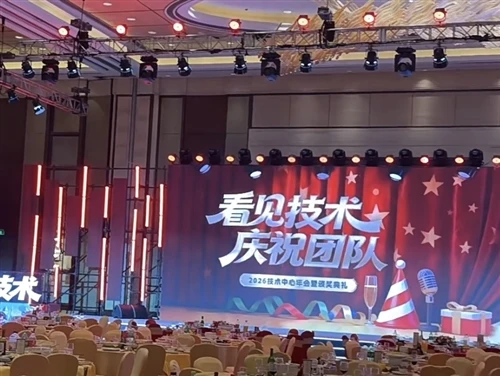
Project 5: Event Signage
What It Does
Event signage shows schedules, directions, announcements, or welcome messages at conferences, weddings, or other events. The display can be updated remotely as the event progresses.
How to Build It
Set up the display with the rpi-rgb-led-matrix library
Create a simple web interface or use a content management system
Display text messages, schedules, or announcements
Enable remote updates via Wi-Fi
Skills Required
Web development basics (for the interface)
Python programming
Project Comparison
| Project | Difficulty | Best For |
|---|---|---|
| Information Dashboard | Beginner | Learning API integration |
| Digital Clock with Weather | Beginner | Learning time and data display |
| Pixel Art Display | Beginner | Creative/artistic projects |
| Retro Gaming Display | Intermediate | Gaming enthusiasts |
| Event Signage | Intermediate | Practical event applications |
Getting Started
For any of these projects, the first step is the same: set up your hardware and install the rpi-rgb-led-matrix library. Once the basics are working, you can adapt the example code to your specific project needs.
The library's example programs provide a solid foundation-they demonstrate scrolling text, image display, and animations. Modifying these examples is often the quickest way to create your own project.
Summary
A raspberry pi led display board can be used for a wide range of projects, from practical dashboards to creative art installations. The five projects outlined here represent just a fraction of what is possible. As you become more comfortable with the hardware and software, you will likely find new and interesting ways to use your display.
FAQ
Q: What is the easiest project for a raspberry pi led display board?
A: A digital clock with weather or a pixel art display are good starting points-they require minimal programming and use basic features of the rpi-rgb-led-matrix library.
Q: Can a raspberry pi led display board show live data?
A: Yes. By fetching data from APIs, the display can show real-time information like weather, news, or stock prices.
Q: Can I play games on a raspberry pi led display board?
A: Yes. The LED matrix can serve as a display for retro-style games, particularly those designed for low-resolution screens.
Q: Can a raspberry pi led display board be used for commercial signage?
A: Yes. With appropriate software, a Raspberry Pi can power digital signage for retail, events, or other commercial applications.
Q: Do I need internet access for a raspberry pi led display board?
A: Not necessarily. Some projects (like a pixel art display) work offline. Others (like a weather dashboard) require internet access for data fetching.