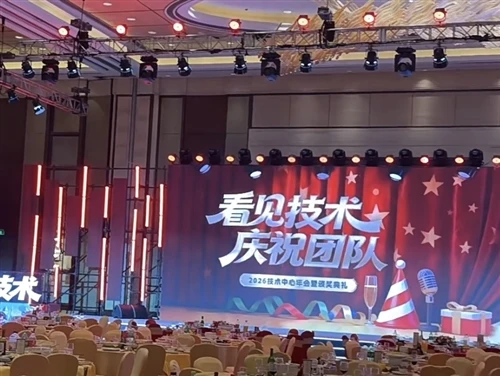
LED Display Screen Usage Instructions
I. Power and Signal Connection Verification
Before using the LED display screen, ensure the power connection is secure and the signal input is normal. Ensure all cables are correctly connected and undamaged or loose.
II. Power On/Off Operation
1. Power On Procedure: Turn on the power switch of the LED display screen and wait for the screen to light up. If a remote control or control software is provided, adjust the screen brightness and contrast according to the instruction manual.
2. Power Off Procedure: After use, turn off the power switch normally, ensuring all connections are disconnected before leaving the room. Avoid sudden power outages or leaving the power on for extended periods of inactivity to protect the lifespan of the display screen.
III. Content Playback and Settings
LED display screens generally support various input signals, such as video, images, and text. Users can play preset content or display real-time information using the control software or remote control. To update the displayed content, edit and upload according to the screen's control methods.
IV. Daily Maintenance and Care
1. Regular Cleaning: Wipe the surface of the LED display screen with a dry cloth. Avoid using chemical cleaners, as they may cause damage. 2. Check Connections: Regularly check the power cord and signal cable connections for tightness; replace any damaged ones promptly.
3. Avoid Prolonged Operation: Although LED displays have a longer lifespan than LED screens, they are not designed for extended periods.
4. Complete Guide to Using LED Screens in Exhibition Halls and Conference Rooms?
5. LED screens in exhibition halls and conference rooms are visual powerhouses for modern meetings and events. They can vividly display presentations, videos, images, and other content, thereby enhancing interaction with the audience and conveying more information. Here are some practical tips for using LED screens:
6. Presentation and Image Display: LED screens are ideal for displaying presenters' presentations, images, and charts. Ensure images and text are clearly visible on the screen, and adjust the resolution and brightness to suit the audience's viewing distance.
7. Video Playback: LED screens are excellent for playing promotional videos, demonstration videos, and educational materials. Ensure video file format compatibility and consider the audio system to ensure clear sound.
8.3 Real-time Interaction: Real-time voting, Q&A, or interactive activities can be conducted via the LED screen. Viewers can participate using mobile devices or remote controls, and the results are displayed instantly on the screen.
9.4 Multi-screen Display: The LED screen can be divided into multiple areas.