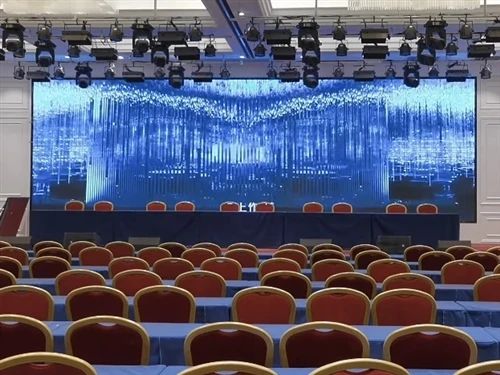
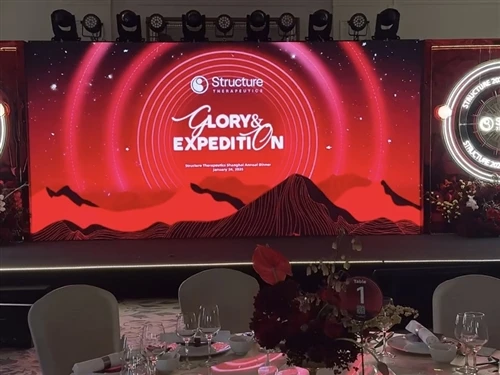
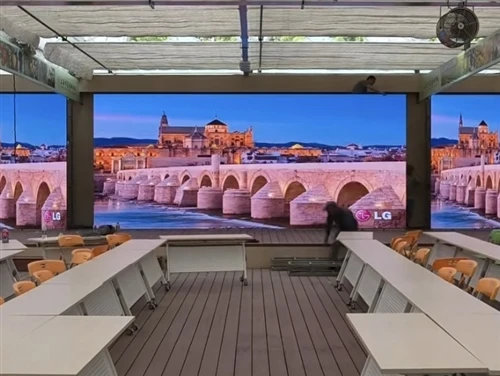
In the selection list of indoor LED displays, P1.86, P2.0, and P2.5 are undoubtedly the "mainstays." Which one is the best choice for you? The core criteria are only three: installation size, viewing distance, and application scenario.
Let's start with the king of small pixel pitch – P1.86.
P1.86 belongs to the typical small pixel pitch LED category, with a high pixel density and extremely fine image quality. When viewed at close range, the naked eye can hardly detect any graininess, and there will be no issues such as water ripples or moiré patterns that affect the viewing experience. It's the "ceiling" choice for scenarios with extremely high demands on image quality. Its core application scenarios target high-end professional fields:
High-end conference rooms: When executives make decisions and discuss data, they need to stare at reports, charts, and model diagrams on the screen for a long time at close range. The delicate image quality of P1.86 ensures that every data point is clearly presented, avoiding visual fatigue;
Corporate brand showrooms: When used to display brand image walls, product detail images, and promotional videos, the high definition highlights the high-end quality of the brand, leaving a professional and profound impression on customers;
Broadcast and television studios: When used as a virtual studio background wall, it requires extremely high color reproduction and seamless splicing. P1.86 can perfectly adapt to camera shooting needs, presenting a cinematic visual effect.
Selection suggestion: If the budget is sufficient and the viewing distance is in the 3-4 meter range, P1.86 is the optimal choice.
Now let's look at the king of cost-effectiveness – P2.0.
P2.0 is currently the mainstream and popular model of indoor LED displays, a truly versatile model. It finds an excellent balance between image quality and cost, meeting the clarity needs of most indoor scenarios without putting too much pressure on the budget. Whether it's a regular corporate conference room, a lecture hall, or a multimedia classroom in a school or training institution, P2.0 can easily handle it. For classroom presentations, corporate training presentations, and video playback in auditoriums, this model offers sufficient clarity and boasts low maintenance costs and excellent compatibility. Selection recommendation: If you have a moderate budget and want to balance display quality and practicality, the P2.0 is the perfect choice – reliable and risk-free.
Finally, let's talk about the economical and practical option – the P2.5.
The P2.5 has a relatively larger pixel pitch, meaning that the pixelation will be more noticeable when viewed from a close distance, making it unsuitable for prolonged close-up viewing of details. However, its core advantage is also very prominent: the lowest cost, making it the "best value for money" option for tight budgets or large-scale installations. Its main applications are in large spaces and long-distance viewing scenarios:
Large venues and auditoriums: Used for displaying thematic images and scrolling banners; the audience is usually more than 5 meters away from the screen, so the pixelation is completely unnoticeable;
Stage background walls: Large screens for concerts, annual meetings, and cultural performances; their main function is to enhance the atmosphere, and the advantages of vibrant colors and smooth images are fully utilized when viewed from a distance;
Shopping mall advertising screens: Hung in atriums or corridors, used to display promotional activities and brand advertisements, meeting basic advertising needs.
Selection recommendation: If the viewing distance is relatively far (more than 5 meters), or if you have a tight budget, the P2.5 is the economical and practical choice.
Summary
For ultimate image quality and ample budget → choose P1.86;
For a balance of practicality and cost-effectiveness, and regular indoor scenarios → choose P2.0;
For large spaces, long-distance viewing, and cost control → choose P2.5.
Match your actual needs to the options above, and you'll be able to choose the most suitable LED display screen!