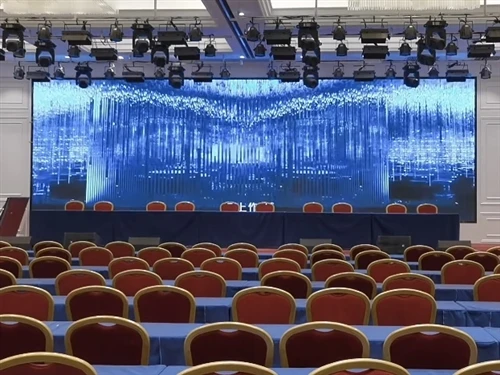
There are many ways to connect a computer to an LED screen. The most common method is to use HDMI and VGA interfaces. Here is a detailed explanation: 1. HDMI connection method: Connect the computer and the LED screen separately with HDMI cables, and then connect them together. If both your computer and the LED screen support HDMI interfaces, this is the most convenient connection method, which can transmit high-definition video and audio signals. 2. VGA connection method: This is an old-fashioned connection method, but it is still a common one. It uses a 15-pin D-Sub interface. Insert the VGA cable into the VGA output port of the computer and then insert it into the VGA input port of the LED screen. 3. Wireless connection: If you want to get rid of those annoying cables, you can consider using wireless connection technology. You can use some special devices, such as wireless adapters, Wi-Fi connections, etc., to connect the computer and the LED screen. 4. DVI connection method: This connection method can output higher resolution to the LED screen and provide better video quality. To use this connection method, you need to connect the DVI cables separately on the computer and the LED screen, and insert them into the DVI input ports of the LED screen. In summary, these are the basic methods of connecting a computer to an LED screen. You can choose the most suitable one according to your needs. No matter which connection method you use, make sure that the cables and interfaces you are using are fully compatible and correctly inserted, so that the correct signal transmission can be ensured and the best effect can be achieved.
 English
- English
- Français
- Deutsch
- 日本語
- Italiano
- Español
- Português
- русский
- Türkçe
- Kreyòl Ayisyen
- slovenščina
- Srbija jezik (latinica)
- اردو
- Gaeilgenah Éireann
- Latviešu
- Lietuvių
- Čeština
- Malti
- hrvatski
- Polski
- Svenska
- magyar
- O'zbek
- Norsk
- Ελληνικά
- عربي
- slovenčina
- Català
- हिंदी
- ไทย
- suomi
- 한국어
- bosanski
- Bai Miaowen
- فارسی
- Indonesia
- עברית
- Eesti
- Cymraeg
- România limbi
- Български
- Nederlands
- Việt Nam
- українська
- Melayu
- dansk
- বাংলা
- íslenska