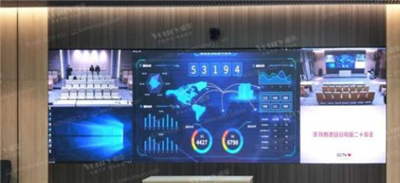
LED large screens, as a new type of display device, have resolution standards that are an important consideration for users when making a purchase. This article aims to introduce several common LED large screen resolution standards and provide methods for choosing the appropriate resolution.
I. Overview of LED Large Screen Resolution Standards
1. P2.5 Resolution
P2.5 resolution means the pixel pitch is 2.5 millimeters, and the screen resolution can reach 160,000 pixels/square meter. Suitable for indoor environments such as conference rooms and exhibition halls.
2. P3 Resolution
P3 resolution refers to a pixel pitch of 3 millimeters, with a resolution of approximately 111,111 pixels/square meter. Suitable for indoor use, such as shopping malls and hotels.
3. P4 Resolution
P4 resolution has a pixel pitch of 4 millimeters, and the screen resolution is approximately 62,500 pixels/square meter. Suitable for indoor occasions, such as stages and studios.
4. P5 Resolution
P5 resolution has a pixel pitch of 5 millimeters, and the resolution is approximately 40,000 pixels/square meter. Suitable for indoor venues such as cinemas and stadiums.
5. P6 Resolution
P6 resolution has a pixel pitch of 6 millimeters, and the screen resolution is approximately 27,777 pixels/square meter. Suitable for indoor venues such as shopping malls and train stations.
6. P8 Resolution
P8 resolution has a pixel pitch of 8 millimeters, and the resolution is approximately 15,625 pixels/square meter. Suitable for outdoor use, such as squares and stadiums.
7. P10 Resolution
P10 resolution has a pixel pitch of 10 millimeters, and the screen resolution is approximately 10,000 pixels/square meter. Suitable for outdoor locations such as billboards and roadsides.
II. How to Choose the Appropriate LED Large Screen Resolution
1. Choose based on the usage environment
Different environments have different resolution requirements for LED large screens. For example, indoor conference rooms or exhibition halls may choose P2.5 or P3 resolution, while outdoor squares or stadiums may be more suitable for P8 or P10 resolution.
2. Choose based on viewing distance
The greater the viewing distance, the larger the acceptable pixel pitch, so the resolution can be relatively lower. Generally, a viewing distance within 5 meters is suitable for P2.5 or P3 resolution, within 10 meters for P4 or P5 resolution, and within 20 meters for P8 or P10 resolution.
3. Selection based on content
If the display content requires high definition, such as high-definition videos and images, a high resolution should be chosen, such as P2.5 or P3. Simple text and icon content can use lower resolutions, such as P8 or P10.
III. Operating Steps for LED Large Screens
1. Installation
Install the LED large screen on a suitable bracket and ensure that the power and signal cables are securely connected.
2. Configuration
After connecting the power, configure the LED large screen, including setting the resolution, brightness, contrast, etc., and setting the signal input, such as HDMI, VGA, etc.
3. Control
LED large screens are usually operated through a controller, which can be connected to the screen via a network cable or wirelessly. The controller can be used for screen partitioning, content switching, brightness adjustment, etc.
Summary:
The resolution selection of LED large screens is crucial. Choosing the appropriate resolution based on the usage environment, viewing distance, and content requirements will ensure the best display effect of the LED large screen. At the same time, pay attention to the installation, configuration, and control aspects when operating the LED large screen to ensure equipment performance and safety.